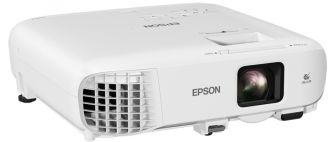
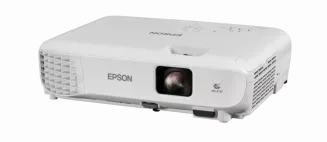
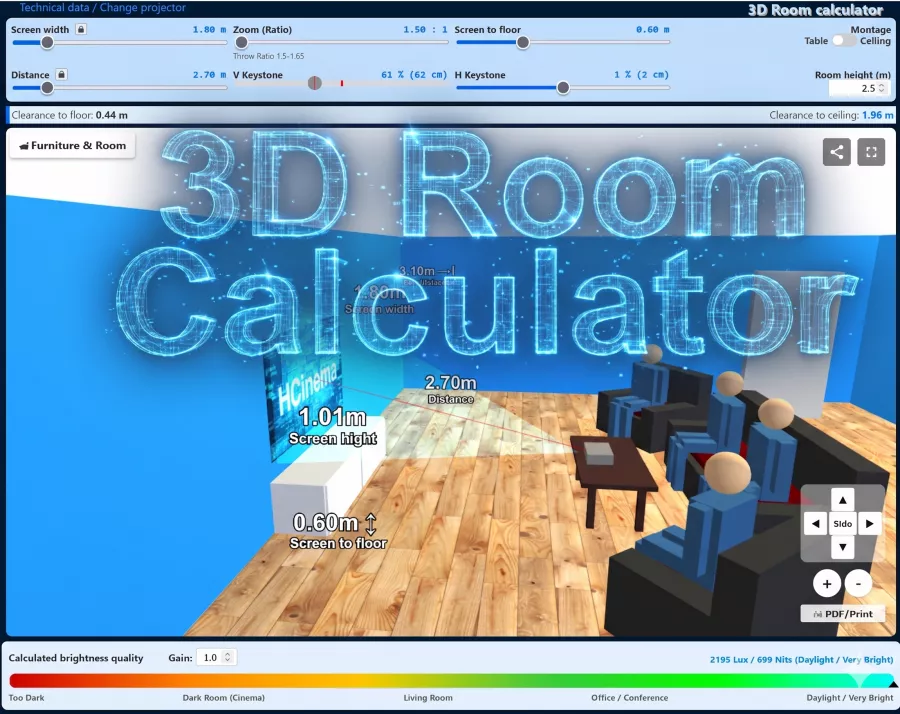
With the X1260, Acer offers a LED-BrilliantColor-DLP projector that features 2000 ANSI lumens, a contrast of 2000:1 and a resolution of XGA 1024 x 768. The manufacturer rates the durability of the included lamp at 4000 hours. With two hours of daily operation, this corresponds to a period of 5.5 years. Looking at practical performance, up to 389 cm can be illuminated with 2000 ANSI lumens in dark environments. Once daylight is in the room, the image should ideally be no wider than 259 cm. Since entering the market in 2007, production has been discontinued; the manufacturer no longer actively offers the model. This model continues to hold a solid place in our database search queries.
Display Type
1 x DLP Chip XGA 4/3 Ti Digital Light Processing Chip
Ansi-Lumen
Projector
2000
Screen
667 Lux (200 cm Screen width)
Contrast
2000:1 full on/off
2000:1 full on/off
Black Level
1,0000 min. Lumen
0,334 min. Lumen
Offset
65% 23 cm over screen top edge →
SCREEN
+Projector
Resolution
XGA 1024 x 768
786.432 Pixel SXGA+ 1400 x 1050 compressed
Standard-Portabel | External training and company presentations, as well as product presentations. Medium screen width or rooms with little light, max. 100 lumens.
After approx. 400 hours the light went out. Nothing worked anymore. When I shook the projector, I noticed that parts were loose in the projector. I unscrewed the base, shook out the parts, screwed the base back on and the projector has now worked perfectly for 1250 hours. The ceramic parts that fell out were from the lamp base.
Autor:
Hauke 24.02.14
5
Stars
Holds and holds and holds
Have been using the box for over 5500 lamp hours. It lasts and lasts and lasts. Had to clean it once because it started to flicker, but now it‘s working perfectly again.
Autor:
kraVal 02.09.12
4
Stars
No power!
moin. since yesterday, the projector no longer draws any power? cable and socket are ok. had just set it up, then it started up and then suddenly it has no more power. accordingly, the fan is no longer running. can the lamp be broken so that it no longer draws any power? best regards
Autor:
Jochen Vogel 17.04.12
4
Stars
I too
Moin, also white dots... I‘ll probably unscrew it. But I‘ve already got a good 1800 hours on it. Otherwise the price-performance ratio is unbeatable!
Autor:
Knud Hanssen 29.03.12
4
Stars
More white dots
Unfortunately, I can‘t give you an answer either. I have the same problem. Has anyone tried something like changing the bulb?
Autor:
Wajos 15.02.12
5
Stars
White dots
Hello, I have the same problem as nice beamer. Not yet 800 lamp hours and already white dots... .... Is there perhaps one or more dust particles inside? Can this be remedied by cleaning?
15.02.12 Thanks for your reply
Autor:
stev 06.02.12
5
Stars
nice beamer
hey guys, have a question? my acer x1260 is now showing white dots on my screen. at first there was only 1 white dot, now there are well over 50 dots. what can I do to get rid of them?
Autor:
Guido 12.11.10
5
Stars
A real bargain for the price.
Hello, I recently bought the Acer x1260 for a low price on Ebay.
I am very satisfied with the device. As long as you only connect the projector to the PC, there are no problems. Movies come across well, the fan noise is still in the green.
You have to concentrate really hard to see an RBE, so its virtually non-existent. TOP!
Only the contrast is not 100 clear. But its not too bad, let alone a deal breaker, since it still offers enough contrast.
Conclusion: If you dont want to spend a lot of money on a good projector, this device is perfect for you!
mfg
Guido
Autor:
Grillmo 19.01.10
5
Stars
About Yuv really good
Hello, I‘ve had the projector for a while, connected to a Ps3 via yuv on vga, no problems only the playback of 1080i causes problems 1080p it can display well... it‘s just a shame that the ps3 doesn‘t output 1080p via yuv.....
Autor:
Michael 12.06.09
5
Stars
Acer 1260 xbox360
Hello, I have a problem operating the Acer 1260 with my Xbox 360. I have set the Xbox 360 to PAL 60 so that I can play all the games, but the projector then shows stripes and more gray than color. If I switch to Pal 50, everything works except for most games because they dont support Pal 50. Ive already tried using an S-Video cable to get it to work, but unfortunately without success. The same thing happens with composite (chinch). The manual says that you can adjust the frequency in the image menu, but that doesnt work for me!!!! only why?? I dont understand. I can only access “Keystone correction” and “Aspect ratio”
MFG Michael
Autor:
Lukas 13.12.08
5
Stars
Acer X1260 review and answer to goregod
I think the device is very good. The colors, contrast and brightness are good. - I can recognize the dreaded rainbow effect (RBE) when I shake my head quite a lot or when the pictures are very (and I mean very) fast, but I don‘t find it very disturbing because I don‘t recognize it very well.
The projector is not the quietest in terms of noise, but not the loudest either
I was particularly surprised by the projector when I unpacked it and saw the really compact projector. It also came with a small bag for the projector. - I have only tested the projector with D-Sub so far.
To goregod‘s questions:
1 You can set it to Auto, so it automatically recognizes whether 4:3 or 16:9.
Since the projector has a maximum native resolution of 1024x768 (4:3), the image is reduced in height when you switch from 4:3 to 16:9. This means that the maximum native resolution in 16:9 is then 1024x576. I was unable to test
2.
Autor:
goregod 07.12.08
5
Stars
Questions about this device
Hello to everyone who has this device... I have 2 questions about the device:
1. If I switch the picture between 16:9 and 4:3, does the picture adjust in width or height? I would like to optimize the picture to 16:9 in height and width and then have the same height at 4:3 without having to zoom in again. If you had to adjust it to 4:3 and the picture changes in height for 16:9, you would have wasted space at the top and bottom.
2 My Xbox360 has a component output (YUV). Does the VGA output with an adapter output the images well? So HDTV signal on the VGA port?
Thanks for the answers.
greetings goregod
Autor:
Peter 19.10.08
5
Stars
Acer X1260 review
I‘m super enthusiastic about the Acer X1260. For this price (this size and this weight), it‘s an excellent quality device: brilliant colors (video mode), very effective use of brightness (illumination), super-small margins between the pixels, even the stated 33dB noise development is at a frequency that isn‘t really very disturbing (I don‘t think it‘s 33dB either. Unfortunately, I don‘t have a dB measuring device). However, the device is slightly louder with the video and games presets. The menu navigation is very intuitive and contains very useful additional features (Empowering Technology). The stated figure is 255W, but I can‘t get beyond 195W. However, the thing consumes a whopping 18.7W when switched off. So it‘s better to unplug it when not in use.
This thing also seems to eat everything that comes along and delivers good pictures, even resolutions and frequencies that are not specified (there are black edges, but the device processes almost everything that comes along).
The only weaknesses I see are in the conversion of various smaller resolutions scaled to 1024x768 (also with composite and S-video inputs, but I‘m very picky about that...). Here it is better to connect a computer with a resolution of 1024x768 and let the computer do the interpolation, as the display of images in the native resolution is uniquely good and a computer for converting video images often achieves better results, as more resources are available.
I could not detect the rainbow effect typical for DLP projectors at all, but this is probably due to the good input signal that I can supply to the x1260.
Autor:
Gerrit 05.09.08
5
Stars
Ps3 beamer
you probably need a HD-Fury is an adapter that decodes DVI to VGA!
because the PS3 only outputs the HD signal in encrypted form and the HD Fury decodes the signal! at least i can play on my monitor this way!
but it doesn‘t work with every monitor and this could also apply to the beamer!
Autor:
Philipp 20.07.08
5
Stars
Acer
@ ALex, did you plug it into the VGA in, not that you plugged it into VGA Qut ^^^
You may have to adjust something on your PS3, just look around in the mMEnu, or in the projector. Or you may have selected a resolution on your PS3 that the projector can‘t handle
Greetings
Philipp
Autor:
Alexander88 05.04.08
5
Stars
PLEASE HELP
Hi guys, I recently got the acer and unfortunately I already have the first problem:
I would like to play with the PS3 on it but I haven‘t been able to do that yet:
I go from the PS3 from the HDMI port to DVI. Via a DVI-VGA adapter then into the beamer. PS3 (and also laptop by the way) recognizes the beamer ... but I get no picture. WHY? is it perhaps due to the setting? Please help me or at least forward me to a solution.
MfG Alex
Autor:
Chris 21.03.08
5
Stars
Acer X1260 review
the Acer X1260 convinces in picture quality, the price-performance ratio is unique! This product is definitely recommended for home use. Good picture for DVD, TV and PS2. Operating noise is fine, only the ECO mode is missing.
Autor:
Zufriedener Kunde 09.03.08
5
Stars
Class device
I have been able to test the device extensively and am extremely satisfied for the price it cost. Watching movies is also no problem, you can only see the rainbow effect minimally and it is not disturbing (4 of us watched and only 2 saw it at all!)
The device has a zoom (1.1x)
The operating noise is not very disturbing, although I miss an eco-mode. The contrast and brightness are extremely good, even in daylight a projection is possible without problems
All in all a great projector that is worth its little money !!!
Another tip: rather buy the X1260 instead of the cheaper x1160, because with the lower resolution of the x1160 everything projected looks matschig!!!
Autor:
Stolzer Besitzer 28.12.07
5
Stars
Hello
my X1260 finally arrived today and to my amazement it has a manual zoom of 1.1. and as a supplement I would like to add the technical data from the manual :
X1260: F/2.41-2.55 , f=21.79mm - 23.99mm / projection distance 1.0m - 12.0 m
projection factor 50@2m (1.95 - 2.15:1)
I would also like to add that I don‘t find the operating noise, which is quite high at 33 db, disturbing, I had an ask c50 before that made a lot more noise







 Blackboard Modus




 Acer Website
 Product Sheet english